
Payment Plans
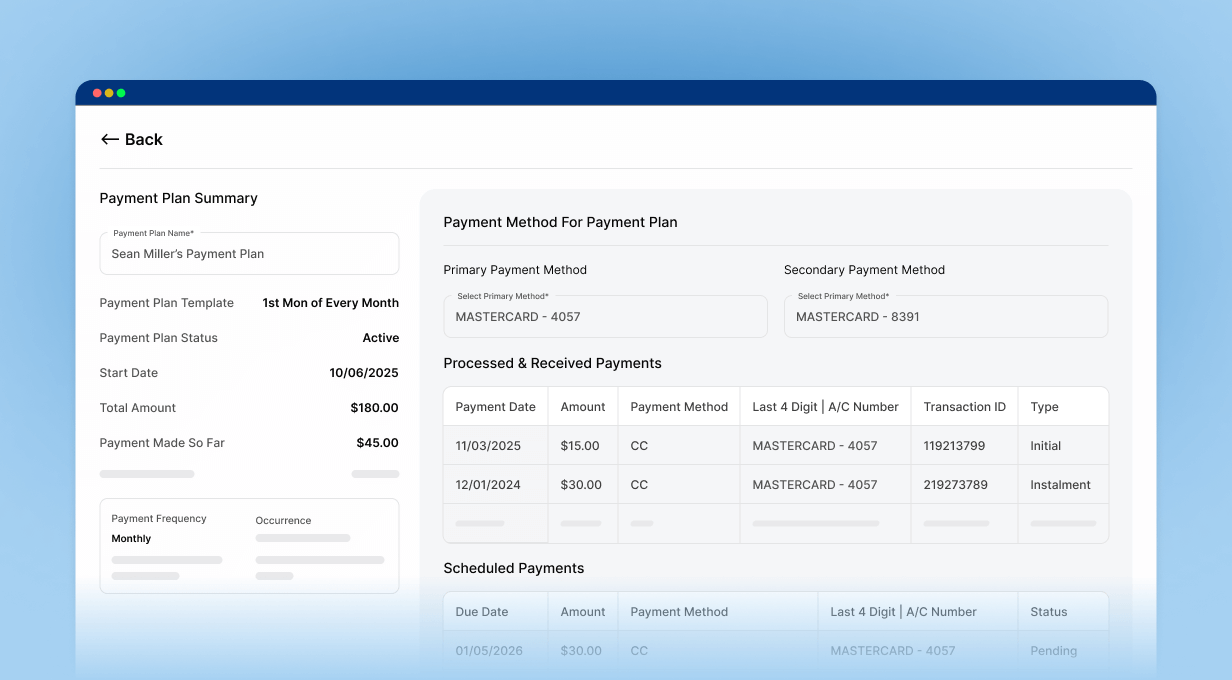
Tooth Teller’s Payment Plans module provides practices a convenient way to help patients spread outstanding balances into smaller, recurring installments that fit their needs, while providing your team with better visibility into every plan.
Why Practices Love
Patient Payment Plans
- Increase overall collections by offering patients the option to pay outstanding balances in easy, flexible installments that fit their budget.
- Set the schedule once and let us automatically manage due dates, charges, and reminders—eliminating manual follow-ups and messy spreadsheets
- Boost your team’s productivity by saving time and reusing plan templates reducing repetitive manual work.
- Easily View outstanding balances, completed installments, and upcoming payments instantly inside a single screen.
Core Features
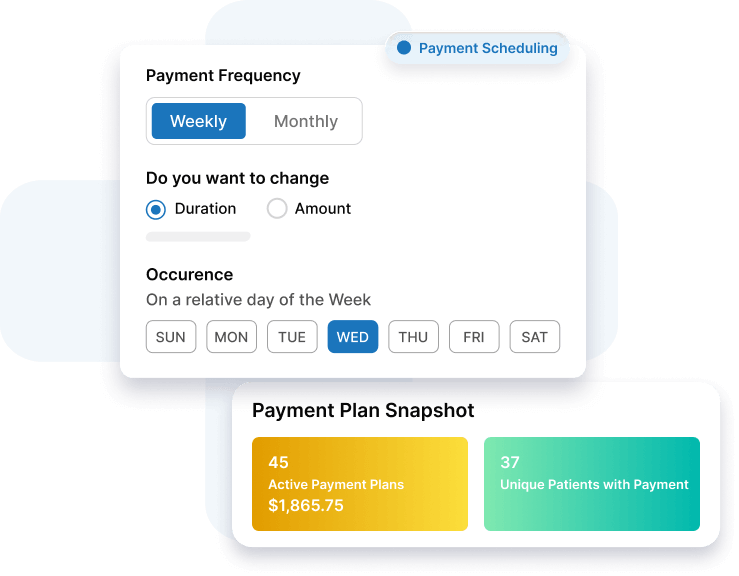
- Flexible Payment Scheduling
Create weekly, monthly, or even fixed amount schedules based on patient needs—fully customizable for each patient.
- Auto-Charge Saved Payment Methods
Use primary and secondary patient cards-on-file to automatically charge installments as per the agreed upon schedule.
- Complete Plan Visibility
Track all active, upcoming, and completed plans in one place. View transaction history and past schedules maintaining a complete audit trail.
Additional Features
- Missed Payment Alerts
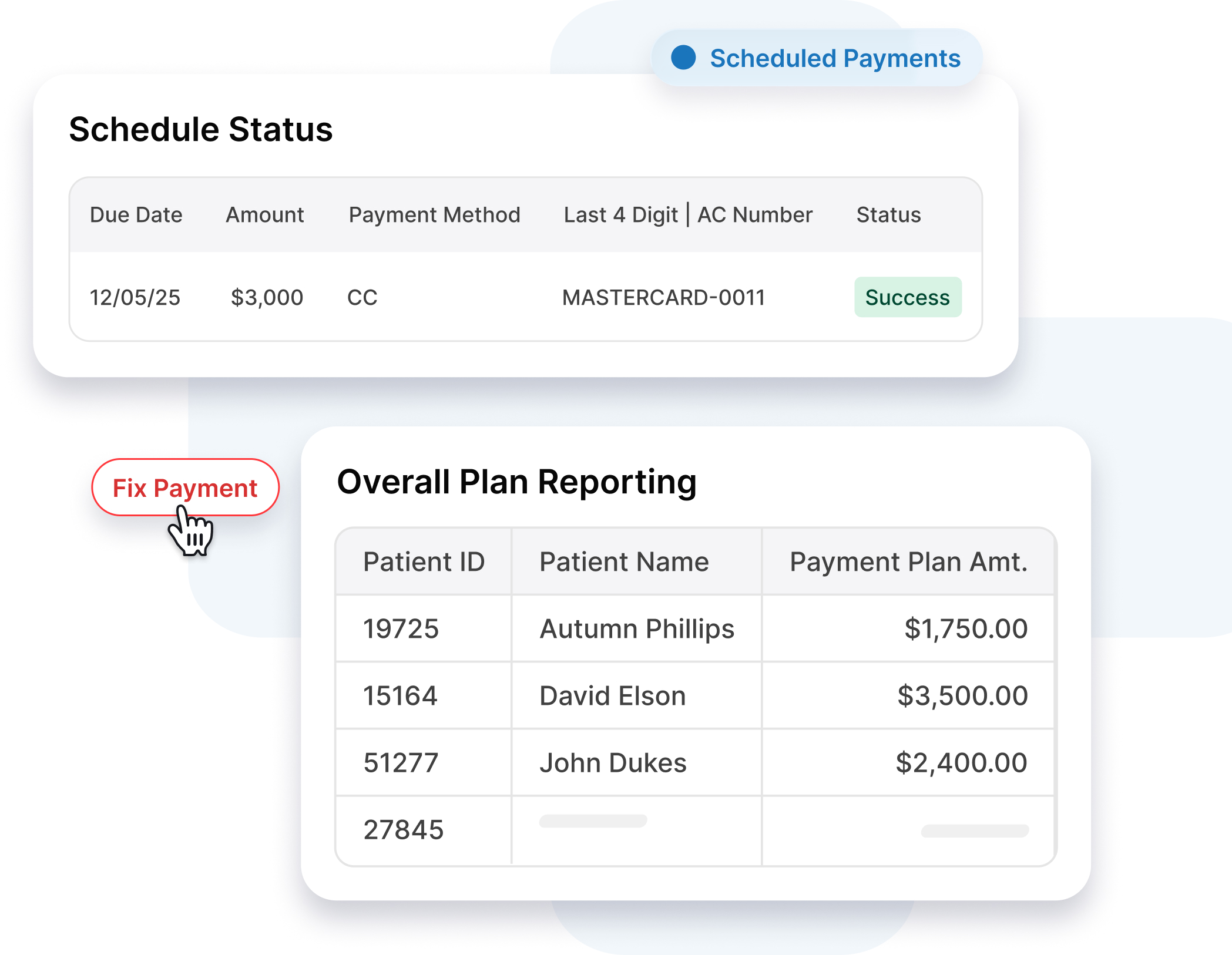
Automatically alert patients of failed or missed payments so no overdue balance goes unnoticed, and fix failed payments with just the click of a button.
- Flixible Adjustments
Adjust or cancel plans when patient circumstances change. Process one-time payments adjusting the remaining plan balance automatically.
- Overall Plan Reporting
Review plan counts, amounts scheduled, and amounts collected over time to understand how payment plans boost your practice’s cash flow.
Frequently Asked Questions
Can patients create their own Payment Plans?
No. Payment Plans are only created by practice team members, one patient at a time.
Does the system auto‑charge patients on their due dates?
Yes, the system attempts to charge the primary payment method on the scheduled date so staff members don’t have to run every installment manually. If the primary method fails, it automatically retries with the secondary payment method on file before marking the payment as failed.
What happens if a payment fails or is missed?
In case of a failed payment, patients automatically receive a text and email alert. In your dashboard, the payment status updates to ‘Failed’ with a ‘Fix It’ option so your team can quickly retry the charge or update card information.
Can patients pay off their plan early or make partial payments?
Yes. Patients can pay off partial or whole balance at once. You just need to use the “Process One-Time Payment” feature inside the plan you want to collect the payment for.